
Overdrive Premium
| Developer | GEM MOBILE SOFTWARE COMPANY LIMITED |
| Updated | Jun 1, 2026 |
| Size | 80 MB |
| Version | 1.8.46 |
| Requirements | 7.0 |
| Get it on |  |
Description
CORE — a senior shadow cyborg soldier built from humans, technology, and black metal — takes on 40 sci-fi levels of Dark Clan enemies in one of the most focused offline action platformers on Android. This post is written for beginners and returning players who want to get more from the premium version of Overdrive Ninja Shadow Revenge. It covers the combo system, hero upgrade path, screen-lock wave mechanics, the gem economy, and how Overdrive Premium changes the experience from the first session.
What Is Overdrive Ninja Shadow Revenge and How It Works
Overdrive Ninja Shadow Revenge is a 2D hack-and-slash action platformer developed by GMS Adventure. Players control CORE, a senior shadow cyborg soldier, through 40 levels that span environments from the Dark Forest all the way to Enemy Headquarters. The game runs fully offline. Therefore, no internet connection is needed at any point during play.
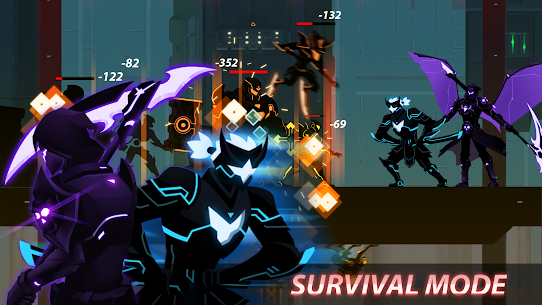
The game combines two genres. It is part action platformer and part combo-driven brawler. Each level tasks players with defeating waves of enemies, navigating trap-filled platforms, and taking down giant bosses with unique attack patterns. The combat feels fast and deliberate because every weapon carries its own set of built-in combos.
What the Hack-and-Slash Combo System Does and How It Works
The combo system is the core of every fight in this game. Each weapon type — Sword, Buster Sword, Spear, and Twin Dagger — comes with its own built-in combo chains. Players do not build combos manually from scratch. Instead, the game assigns unique combo sequences to each weapon. Switching weapons therefore changes the rhythm and range of every attack.
Enemies appear in locked-screen waves. Players must clear each wave before the level advances. This structure forces players to use combos efficiently rather than relying on single hits. Additionally, the combo system rewards players who take time in the tutorial to test each weapon’s timing before committing to an upgrade path.
What Century City, the Dark Clan, and CORE’s Story Mean for Gameplay
The story sets up the enemy roster and level structure directly. The government’s Shadow Security Force (S.E.F) falls under attack when the Dark Clan corrupts the Lord Commander. CORE survives the betrayal and fights back through every sector — starting in the Dark Forest and pushing toward the Headquarter in Century City. Each environment reflects the narrative progression.
This matters for gameplay because the enemy types change as CORE moves deeper into Dark Clan territory. Early levels in the Dark Forest introduce standard enemy waves. However, later levels near Century City feature more aggressive attack patterns and tighter trap layouts. Players who understand the story context recognise why difficulty escalates at specific points.
How Overdrive Ninja Shadow Revenge Compares to Grimvalor and Dan the Man on Android
Grimvalor is a mobile Soulslike with heavy emphasis on deliberate dodge timing and a single-character build. Dan the Man is a retro-style brawler with looser controls and a comedic tone. Overdrive Ninja Shadow Revenge sits between both. It is more structured than Dan the Man because each weapon produces fixed combo chains rather than open-ended attacks. However, it is more accessible than Grimvalor because CORE’s movement system does not punish aggressive play with permadeath.
The key difference is the offline-first design. Both Grimvalor and Dan the Man have online components. Overdrive Ninja Shadow Revenge runs entirely without a connection. So for players who want a complete action platformer experience on mobile without relying on Wi-Fi, this title delivers where the others require connectivity.
How Controls and Combat Actions Work in Overdrive
The controls divide cleanly across the screen. The left side holds the movement buttons — left, right, and crouch. The right side holds the action buttons — jump, dash, and attack. Players combine these inputs to trigger combos and special attacks.
First, the movement buttons handle navigation across platforms. Then, the right-side buttons execute combat. Pressing attack alone produces a basic strike. Combining jump, dash, and attack in sequence activates the weapon’s built-in combo chain. The control layout is responsive. As a result, most players find the input system comfortable within the first few minutes of the built-in tutorial.
How the Left-Side Movement Buttons and Right-Side Action Buttons Work Together
The two sides of the control layout work as a system. Movement positions CORE in range of an enemy. Action buttons then execute the attack or combo. Players who only use movement to walk forward and attack directly miss the dash input entirely. However, the dash is essential for closing distance quickly and for repositioning between combo chains.
The tutorial demonstrates the basic button layout. But it does not always show players how to chain dash into attack before the first enemy arrives. Practicing the dash-attack sequence early prevents hesitation during the wave lock sections. Consequently, players who drill this early complete the first Dark Forest levels faster.
How Weapon-Specific Combo Chains Work for Each Weapon Type
Each weapon has a different combo structure. The Sword offers balanced reach and speed, making it reliable for standard wave clearing. The Buster Sword hits harder but swings slower, so it suits bosses more than fast enemies. The Spear extends CORE’s attack range and works well against enemies that approach from a distance. The Twin Dagger delivers the fastest combo speed but requires the shortest attack range, so players must stay close.
None of these weapons is universally best. Instead, the game rewards players who match weapon choice to the enemy type in each wave. Switching weapons before a new wave starts is therefore a tactical decision, not just a cosmetic one. Players who understand each weapon’s built-in combo range consistently clear waves with fewer hits taken.
What Happens When You Clear a Wave and the Screen Unlocks
When a locked wave clears, the screen unfreezes and the level continues scrolling. This is the moment players need to reassess their position and resources before the next wave triggers. Because the screen locks again when new enemies enter the frame, any decision about weapon switching or repositioning must happen in this brief window.
New players often sprint forward immediately after clearing a wave. This leads to triggering the next screen lock before they are ready. Instead, pausing briefly after each wave unlock to check CORE’s health and weapon state prevents most deaths in the mid-game. This single habit change improves survival across every level past the Dark Forest.
What Overdrive Premium Includes and Why It Changes Your Run
Overdrive Premium is the paid upgrade for the free version of Overdrive Ninja Shadow Revenge. It bundles four benefits: the Lightning Blade weapon at no extra cost, a 20% discount on all hero and upgrade purchases, free gems delivered daily for the first seven days, and permanent removal of all pop-up ads. Together, these benefits change the early-game economy significantly.
The most immediate impact is the removal of ads. Pop-up interruptions during wave transitions break the game’s rhythm. Without them, the combat flow stays consistent from the first level to the last. The gem reward and discount benefits compound over time. However, the ad removal alone justifies the premium upgrade for players who play daily.
What the Lightning Blade Offers and Why It Matters Early
The Lightning Blade is a free weapon claimed through Overdrive Premium at no additional cost. It is not available in the standard free version without purchasing it separately. The Lightning Blade’s combo chain moves faster than the base Sword and carries a longer reach than the Twin Dagger. This makes it an unusually strong early-game option that would otherwise require gem spending to access.
Claiming the Lightning Blade immediately after activating Premium gives CORE a consistent advantage through the Dark Forest levels. Most new players spend their first gems on basic sword upgrades. Because the Lightning Blade arrives pre-equipped, those gems redirect toward armor or hero unlocks instead. Therefore, Premium players enter the mid-game with a more developed character than free-version players at the same stage.
How the 20% Discount Affects Hero and Upgrade Costs
The 20% discount applies to all hero purchases and all upgrade transactions. In practice, this means every hero bought at a discounted rate returns more value per gem spent. Upgrades that take a free-version player several sessions to afford become accessible faster under the Premium discount structure.
This compounds across the full 40-level run. By the time a Premium player reaches Century City, the accumulated savings from the discount typically amount to enough gems to fund at least one additional hero unlock or a full weapon upgrade tier. The discount is not visible as a standalone number in most menus. However, players notice it each time a transaction costs less than the listed gem price in the free version.
How the 7-Day Free Gem Reward Builds Your Starting Currency
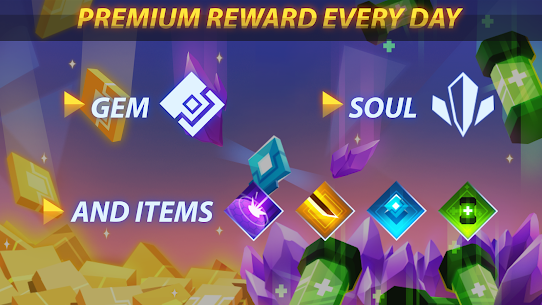
The 7-day gem reward delivers free gems each day during the first week after activating Premium. The daily login reward builds a starting gem reserve that shortens the early upgrade grind considerably. Players who log in each day during this window accumulate enough gems to fund early weapon upgrades without touching their main currency reserves.
The timing matters. Players who activate Premium and then skip several days lose gem deliveries permanently — the reward runs for exactly seven days from activation. So logging in daily during the first week is the single most efficient way to benefit from this feature. After the seven days end, gems return to the standard acquisition method through gameplay.
How Hero Customisation and Weapons Shape Every Fight
Hero customisation sits at the centre of Overdrive Ninja Shadow Revenge’s replayability. Players select a hero, equip weapons, and assign armor suits before entering each level. Each hero carries individual stat values that affect health, attack speed, and damage output. Weapons and armor then modify these base values further.
The equipment system does not simply add stats. It changes how CORE or any selected hero responds to incoming attacks. A hero with high armor can absorb more hits during screen-lock waves. However, a hero with a faster attack stat clears those same waves faster. Balancing these values is the main strategic decision outside of active combat.
How Hero Selection and Equipment Slots Work
Each hero occupies a distinct role in the roster. Some heroes hit harder. Others move faster or carry more health. Players switch heroes before a level starts. Equipment slots then allow weapons and armor suits to be assigned independently from the hero selection. Therefore, the same hero can be outfitted differently for boss levels versus standard wave stages.
The game provides multiple heroes to unlock through the upgrade system. Premium players unlock heroes faster because the 20% discount reduces the gem cost per unlock. However, each hero requires separate upgrades — levelling one hero does not carry progress to another. So players should pick a primary hero early and invest in that character before spreading resources across multiple unlocks.
How Armor Suits Stack With Weapon Upgrades
Armor suits and weapon upgrades operate on separate upgrade tracks. Improving a weapon increases its damage output and unlocks the next tier of that weapon’s combo chain. Improving an armor suit increases the hero’s defensive threshold — the number of hits the hero absorbs before losing health. Both tracks use gems.
The two tracks stack multiplicatively in terms of combat efficiency. A fully upgraded weapon on an under-armored hero clears waves fast but dies quickly to boss attacks. A highly armored hero with a base-level weapon survives longer but struggles against enemy health pools in later levels. The strongest builds invest evenly across both tracks rather than maxing one before starting the other.
Which Weapon Types Suit Which Combat Situations
The Buster Sword and Spear work best in boss encounters because both offer high damage per hit and extended reach. Fast enemies in standard wave sections respond better to the Twin Dagger or the Lightning Blade because speed matters more than reach when multiple targets move unpredictably. The base Sword occupies a middle ground and works reasonably across most situations without excelling in any.
Players who equip the same weapon for every situation leave efficiency on the table. Swapping to a boss-optimised weapon before a boss wave triggers and then switching back to a wave-clearing weapon for standard sections is a small adjustment that shortens level clear times noticeably. This weapon-matching habit is one of the most underused tactics across the full 40-level campaign.
How the Upgrade System and Gem Economy Work in Overdrive
The upgrade system runs on gems. Every hero unlock, weapon upgrade, and armor improvement costs gems. Players earn gems by completing levels and clearing waves. The rate of gem accumulation increases as players progress deeper into the campaign. However, the cost of late-game upgrades scales faster than gem income from standard play.
This creates a resource pressure point around the midpoint of the campaign. Players who spend gems freely on early heroes find themselves under-resourced when the Buster Sword upgrade or a mid-tier armor suit becomes critical. Planning gem spending around the next necessary upgrade, rather than spending opportunistically, prevents this bottleneck.
How the Upgrade System Works for Heroes and Weapons
The upgrade system presents hero and weapon upgrades as separate purchase decisions. Each weapon has multiple upgrade tiers. Higher tiers unlock stronger versions of that weapon’s built-in combo chain. Heroes similarly have tier-based upgrades that improve core stats. Players access the upgrade menu between levels.
Upgrades do not reset between sessions. Progress carries forward. Therefore, every gem spent stays invested in the character permanently. This makes early upgrade decisions consequential — committing gems to a weapon players later abandon wastes resources that cannot be recovered. The tutorial does not explain this fully. New players should test weapon feel in the early Dark Forest levels before committing to any upgrade tier.
How Gems Work and When to Spend Them on Heroes vs Upgrades
Gems serve two purposes: unlocking new heroes and improving existing heroes and weapons. The decision between unlocking a new hero and upgrading an existing one comes down to current performance. If CORE or the primary hero clears waves comfortably but struggles against bosses, weapon upgrades address that gap more efficiently than a new hero would.
New hero unlocks make sense when the current hero’s stat ceiling limits progress — specifically when health and attack are both maxed and levels still feel unmanageable. Until that ceiling is reached, weapon and armor upgrades deliver better returns per gem. Premium players hold an advantage here because the 7-day gem reward delays the first resource crunch by several days.
What Completing All 40 Levels and Reaching Enemy Headquarters Unlocks
Completing all 40 levels and reaching the Enemy Headquarters marks the end of the main campaign. Players who finish the full run unlock a sense of narrative resolution — CORE settles his account with the Dark Clan and the corrupt Lord Commander. Beyond the story conclusion, completing the campaign opens higher difficulty replays and achievement milestones that reward additional gems.
The 40-level structure means the full campaign is substantial by mobile standards. Most players complete the Dark Forest and mid-campaign sectors in several sessions. The final approach to Enemy Headquarters features the densest enemy layouts in the game. Players who reach this stage with maxed weapons and mid-to-high tier armor handle the final boss waves more consistently than those who arrive under-upgraded.
How the Screen-Lock Wave System and Traps Catch Players Off Guard
The screen-lock wave system is the mechanic that most often surprises new players. When enemies enter CORE’s visible area, the screen freezes in position. The level does not scroll forward until every enemy in that wave is eliminated. This means players cannot simply run past difficult waves. Every wave must be resolved.
This system pairs directly with the platforming hazards in each level. Traps — spikes, falling platforms, and environmental hazards — are positioned within the same locked-screen zones. Therefore, fighting a wave while avoiding traps simultaneously is a core skill. Players who treat the game as a pure brawler and ignore their footing take unnecessary damage on every platform section.
How the Screen-Lock Wave System Catches New Players Off Guard
Most mobile action games allow players to move freely through levels even when enemies are present. Overdrive Ninja Shadow Revenge does not. The moment a wave triggers, the screen locks. This catches new players who expect to retreat from a difficult cluster of enemies. Because retreat exits the screen-lock zone in many games, new players instinctively try to run backward — but the lock prevents this.
The correct response is to reposition within the locked screen rather than attempting to exit the zone. Using CORE’s dash to move laterally across the visible area while attacking creates angle advantages that forward-only attacks do not. Players who understand the lock early adopt better movement habits that serve them through the tougher mid-game and boss encounters.
How Trap Platforms in the Dark Forest Punish Rushed Movement
The Dark Forest levels introduce the game’s trap system. Spiked platforms, collapsing floors, and environmental hazards appear throughout. Players who move quickly without checking platform stability take spike damage that compounds with enemy attack damage during the same wave. The result is rapid health loss that feels unfair but is entirely avoidable.
The practical solution is to approach new platform sections at a slower pace until the trap positions are visible. Once a player has seen the trap layout, subsequent runs through that section can move faster. The game does not randomise trap placement between attempts. Therefore, memory of trap positions carries directly into improved survival on retries.
How Giant Boss Attack Patterns Differ From Standard Wave Enemies
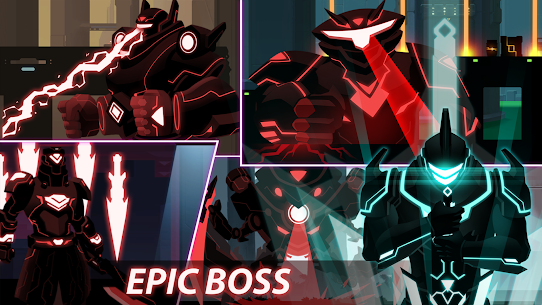
Giant bosses in Overdrive Ninja Shadow Revenge attack differently from standard wave enemies. Each boss carries unique attack animations — a telegraph action that plays before the hit lands. Standard wave enemies attack on contact or at short intervals without distinct telegraphs. Bosses give players a brief readable window before each attack connects.
Players who recognise boss telegraph animations dodge the attack before it fires. Players who react to the hit itself dodge too late. Learning two or three telegraph cues per boss is the most effective preparation for boss stages. Additionally, bosses do not trigger the same screen-lock behaviour as wave enemies — they occupy the full locked screen for the duration of the encounter, so positioning against a boss requires continuous lateral movement rather than static attack positioning.
Best Overdrive Premium Tips and Tricks for Beginners
New players who activate Overdrive Premium get access to the Lightning Blade immediately. However, having a strong weapon without understanding the game’s specific mechanics does not automatically lead to better results. These three tips address the situations unique to this game that no generic action platformer advice covers.
How to Use CORE’s Dash-Jump Sequence to Break Out of Screen-Lock Situations
When the screen locks and enemies crowd CORE from both sides, the dash-jump sequence is the fastest way to create space. Dash first to move horizontally past one enemy group, then jump immediately to gain vertical height. This clears the ground-level attack range and repositions CORE above the threat. Then attacking on the descent lands a hit and resets combo timing at the same time.
This sequence is specific to CORE’s movement kit and the screen-lock format. It does not work in games without the lock mechanic because free-scroll games allow players to simply run out of range. In Overdrive Ninja Shadow Revenge, the dash-jump creates the space that the locked screen otherwise denies. Practicing this sequence in the early Dark Forest levels makes it automatic before the harder mid-game waves arrive.
How to Prioritise Gem Spending on the Buster Sword Before Any Armor Upgrade
The Buster Sword upgrade is the highest-value early gem spend in the game. Boss encounters begin appearing consistently from the mid-campaign onward. Standard wave enemies can be cleared with the base Sword or Lightning Blade. However, bosses have health pools that reward high single-hit damage more than attack speed. The Buster Sword’s upgrade tiers increase that damage significantly.
Premium players benefit most from this priority because the 7-day free gem reward gives them extra early-game currency. Instead of splitting gems between armor and weapons in the first week, directing that supply toward the Buster Sword upgrade tier produces a boss-fighting advantage that carries through the second half of the campaign. Armor can be upgraded once the Buster Sword reaches tier two.
How to Read Boss Telegraph Animations to Dodge Before the Hit Lands
Each giant boss in Overdrive Ninja Shadow Revenge plays a visible animation before its main attack connects. The animation lasts roughly one second. Players who watch the boss character model rather than the health bar spot the telegraph earlier. The moment the boss starts the wind-up animation, CORE’s dash input should already be moving.
Reacting to the hit animation itself is always too late. The dodge window closes before the animation reaches its midpoint. So training the eye to trigger on the first frame of the telegraph — rather than the peak of the attack — is the single most reliable boss-survival habit in this game. Players who time their dodge to the telegraph clear boss levels on fewer attempts and exit encounters with more health remaining.
Frequently Asked Questions About Overdrive Premium
Is Overdrive Ninja Shadow Revenge available on iOS and Android?
Overdrive Ninja Shadow Revenge is available on both Android and iOS. Players can find it on Google Play and the Apple App Store. The free version is available on both platforms. Overdrive Premium is the paid upgrade accessible within the app. The game plays identically on both operating systems with the same 40 levels and offline functionality.
How many levels does Overdrive Ninja Shadow Revenge have?
Overdrive Ninja Shadow Revenge has 40 levels in total. Players start in the Dark Forest and fight through increasingly difficult environments all the way to the Enemy Headquarters in Century City. Each level features wave-locked enemy encounters, trap platforms, and at least one boss encounter in the later stages. The 40-level campaign provides several hours of content.
Does Overdrive Ninja Shadow Revenge require an internet connection to play?
Overdrive Ninja Shadow Revenge does not require an internet connection. The game plays fully offline. Players can complete all 40 levels without Wi-Fi or mobile data. This makes it one of the stronger offline action platformers on Android and iOS. Overdrive Premium does not change the offline functionality — the game remains entirely playable without a connection after activation.
Why Overdrive Premium Is the Right Choice for Serious Players
Overdrive Ninja Shadow Revenge rewards players who invest time in its combo system and upgrade paths. The premium version removes the friction that interrupts that investment — ads disappear, the Lightning Blade arrives ready to use, and the gem economy starts in a better position than the free version allows. Players who intend to reach Enemy Headquarters and complete all 40 levels will hit the mid-game gem crunch in the free version. Premium delays that crunch meaningfully.
The game suits players who want a structured offline action platformer with real mechanical depth. It is not a passive mobile experience. The screen-lock system, weapon-specific combos, and boss telegraph timing all require active attention. After playing through the full campaign, the combo system still rewards repeated runs in ways that feel purposeful rather than repetitive. For mobile players who want a brawler that respects their time and plays without interruption, Overdrive Premium delivers exactly that.
Images
Related apps
Developer's apps
Latest Games
Popular Games


